How do I link my UAE bank account with Belong?
Once you have uploaded all the required documents in the Belong app, you will see the option for linking your UAE bank account. Your Belong wallet gets added as beneficiary in bank's app. Transfers done through account linking are free of charge and we offer the best in class AED to USD and USD to AED conversion rates.

Our payment partner Lean Technologies is regulated in the UAE by the ADGM Financial Services Regulatory Authority and is the payment partner of financial apps like Sarwa in UAE.
Here are steps for linking your UAE bank account:
1. Select continue to link
2. Select the 'Get Started' to start the account linking process
3. Use your internet banking credentials of your UAE bank to sign in
4. You will receive an approval in your bank app
5. Login to your UAE bank app
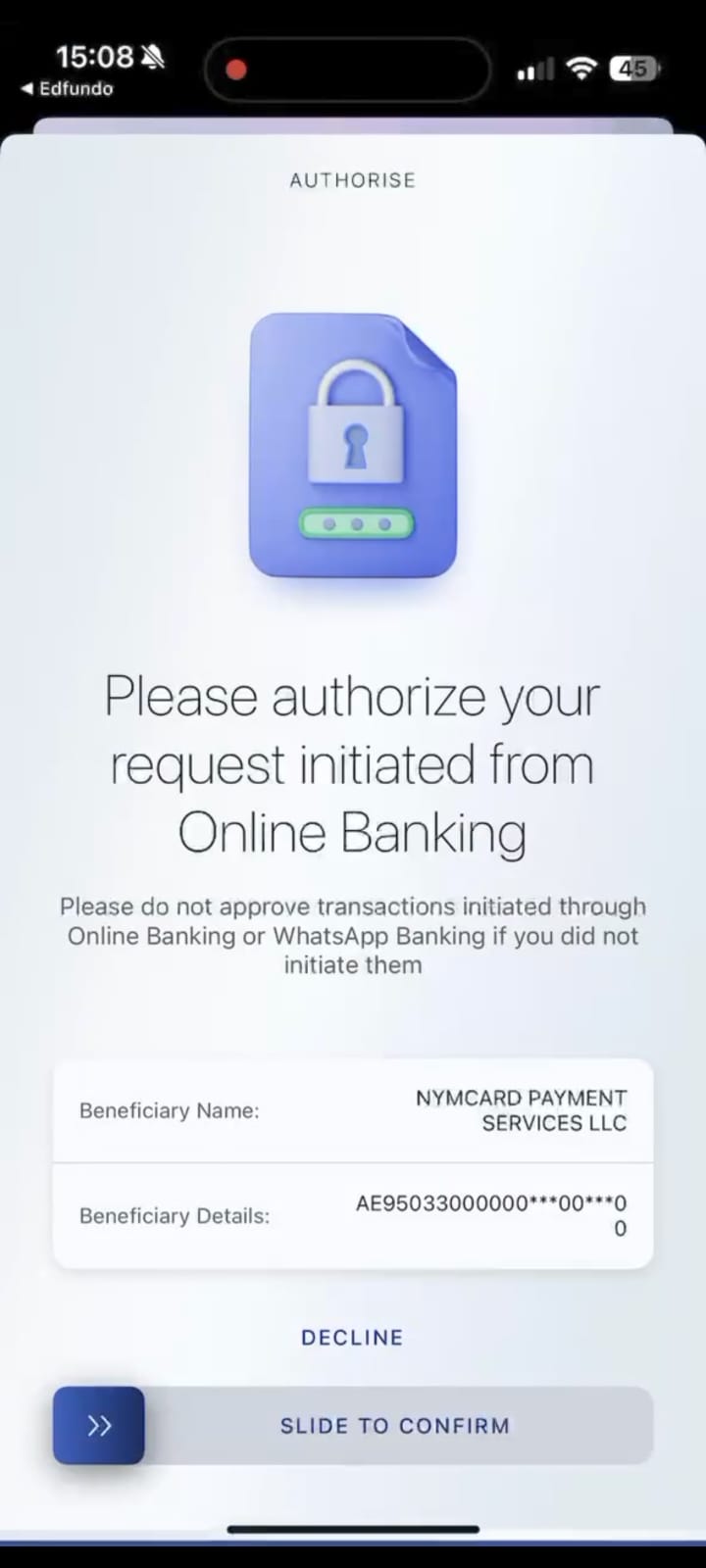
6. You will get a notification in your bank app to authorise the linking
7. Authorising the addition of Belong wallet as beneficiary
 .
.
8. Once the account is linked the cool-off period will start
Once the cooling period ends (4 hours); you can transfer funds and load your Belong wallet.
Related Articles
I am facing issues while linking my UAE bank account.
Some of the customers face issues while linking their UAE bank account via Belong wallet. Here are the steps you can follow to successfully link your UAE bank account. 1. Bank app and notification settings Please open your bank's app and keep it ...How to transfer funds from your UAE - linked account to Belong wallet?
Once your UAE account is linked you will be able to make fund transfers from your UAE linked account to Belong wallet. To know more about linking your UAE bank account on the Belong app, please refer to this article: How do I link my UAE bank account ...How do I transfer funds from my overseas account to my Belong wallet?
Once your Belong wallet is active after the completion of KYC, you will be able to see your wallet details in the Belong app itself. If you are a UAE customer, you can simply link your local bank account and make the transfer. Refer to this article: ...How can I add funds to my Belong wallet?
You can add funds to your Belong wallet through a SWIFT transfer via your foreign or Indian bank account. Time: 2-3 working days Currencies you can transfer in: USD The app will show you the account details to transfer money from your overseas bank ...How can I whitelist another account which belongs to me?
Accounts used to transfer money to the wallet are whitelisted by default. You can whitelist more of your accounts. Once the account is whitelisted, it will start showing up in the list of bank accounts in your app. There are 2 ways to whitelist ...