How to complete KYC on the Belong app?
Completing KYC on Belong is a completely digital and hassle-free process:
Once you have logged in to the app, please follow the following steps:
1. Add personal details:
- Select your status as an NRI or OCI;
- Add personal details: Educational Qualification, Occupation, Employer Name, Industry type, Monthly income;
- Add Nominee details;
- Enter your PAN;
- Enter the last 4 digits of your Aadhaar, Name as per Aadhaar, DOB & Gender
2. Upload your Passport:
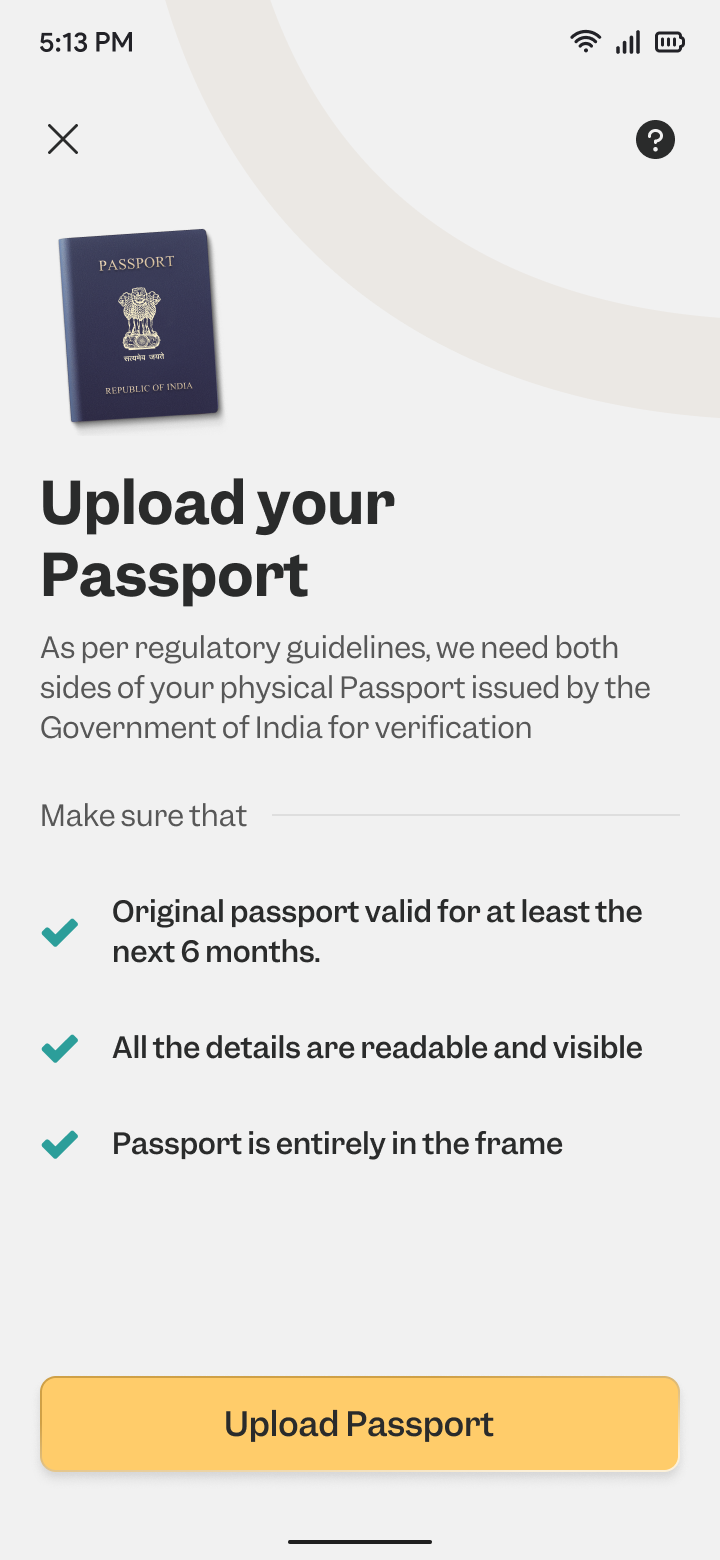
Please ensure that at the time of uploading, your passport is valid for at least the next 6 months.
You can either take a photo of your passport, upload from gallery, or upload a pdf copy. You are required to upload both the front and back pages of the passport.
3. Upload your Residence ID:
Please upload both sides of your physical residence ID. The residence ID should be valid for the next 30 days at the time of upload.
4. Upload Overseas Address Proof:
You can share either your NRE bank statement which has your overseas address and transactions within 3 months; or your Foreign bank statement that should have your name, overseas address in English & transactions within 3 months.
5. Selfie:
Kindly upload a clear selfie to validate your identity.
6. Confirm KYC details:
Once you have uploaded all the documents, you can submit the details by clicking on "Confirm KYC details".

In case, the CKYC records have expired or no CKYC record is found, you can complete your onboarding via VKYC.
Our team will validate the documents submitted by you and in 1-2 working days, and you will get an option to e-sign your KYC documents via Aadhaar OTP.
Once done, we will activate your account shortly.
Related Articles
How to open an account with Belong?
To open an account with Belong, just follow these simple steps: 1. Download the Belong app: You can download the Belong app from Google Play store or App store by using the link: Google Play store - ...About Belong
Belong is a fintech app built for global Indians to simplify finances for them. We are building Belong out of GIFT City which is India’s financial services special economic zone (SEZ). Currently we are live with 2 products - USD FD offering 6% ...What products does Belong offer?
Our product offerings include GIFT City mutual funds - currently we have 2 inbound funds - TATA India Dynamic Equity fund & Sundaram India Mid-cap fund; and 2 outbound funds - DSP Global Equity fund & Edelweiss Greater China Equity fund live on the ...Who are Belong’s founders?
Belong is built specifically for global Indians by a team of fintech experts who each individually have upwards of a decade of experience, and a deep knowledge of finance and technology. They are passionate about solving money across borders for ...How do I close my Belong account?
We're sorry to see you go :( To process this request, please send us an email to support@getbelong.com from the email address you originally used to sign up for the Belong app. This step is necessary to verify your account ownership and proceed with ...